See Your Space Transformed
Before You Spend a Dime
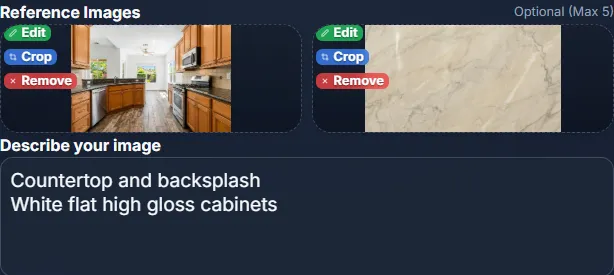
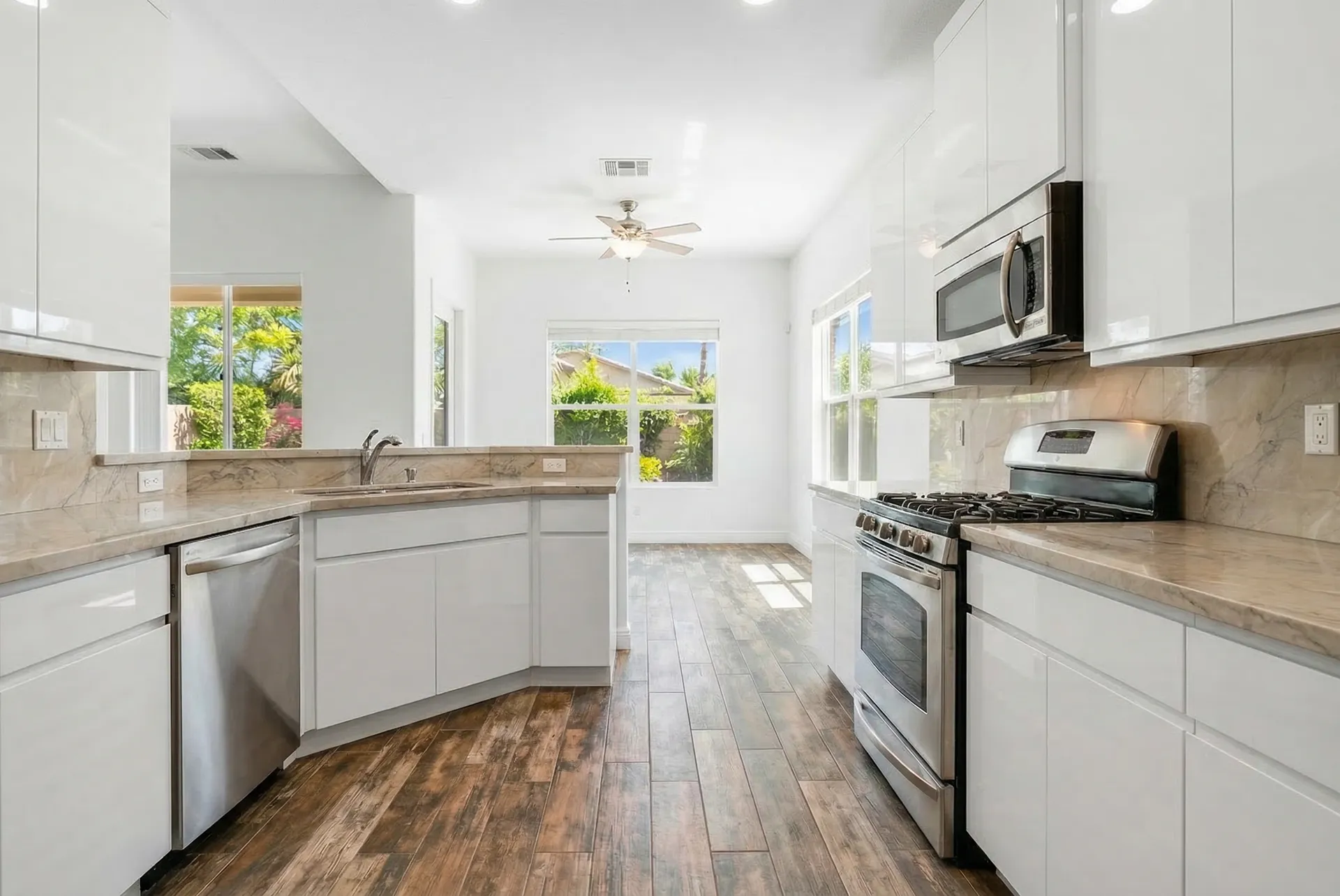
Design, decorate, remodel, or refurnish any room. Upload a photo, describe your vision, and get photorealistic results in seconds — no 3D software, no designer, no guesswork.
Built for Everyone Who Touches a Space
Whether you're picking paint colors or pitching a $75,000 kitchen remodel — see the result before you commit.
Homeowners & Decorators
See it before you buy it
Visualize a new sofa, paint color, or full room makeover in your actual space. Stop guessing if that $3,000 sectional will look right — see it first.
- Paint colors on your walls
- Furniture in your room
- Full room redesigns
Real Estate Agents
Stage any listing in 10 seconds
Turn empty, dated listings into warm, inviting homes — virtually. No furniture rental, no stager, no photographer. Just a photo and a description.
- Virtual staging
- Listing photo upgrades
- Before/after marketing
Contractors & Remodelers
Close more deals with instant renders
Show clients the finished kitchen, bathroom, or living room during the proposal meeting. Generate multiple options in minutes — not days.
- Client proposal renders
- Material/finish previews
- Design variations
Airbnb & Rental Hosts
5-star photos without 5-star renovation
Visualize upgrades to your rental before investing. See how a boutique-hotel redesign would look — and decide what's worth the money.
- Upgrade visualization
- Style exploration
- Listing photo enhancement
How It Works
You provide a photo and a simple description. Our AI Agent handles the rest — optimizing your prompt, running multiple AI models, and delivering the most photorealistic result.
Instant Room Visualization
Upload a photo of any room. Describe the changes — "modern white kitchen," "cozy bedroom with warm tones," "navy sectional sofa." Get a photorealistic result in seconds.
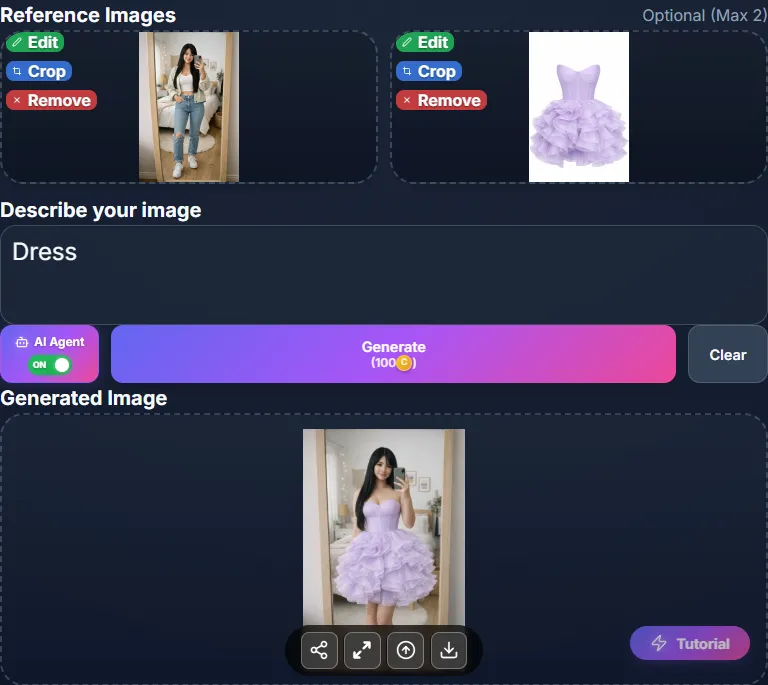
AI Design Editor
Draw on photos to swap materials, change finishes, add furniture, or modify specific areas — perfect for fine-tuning your vision.
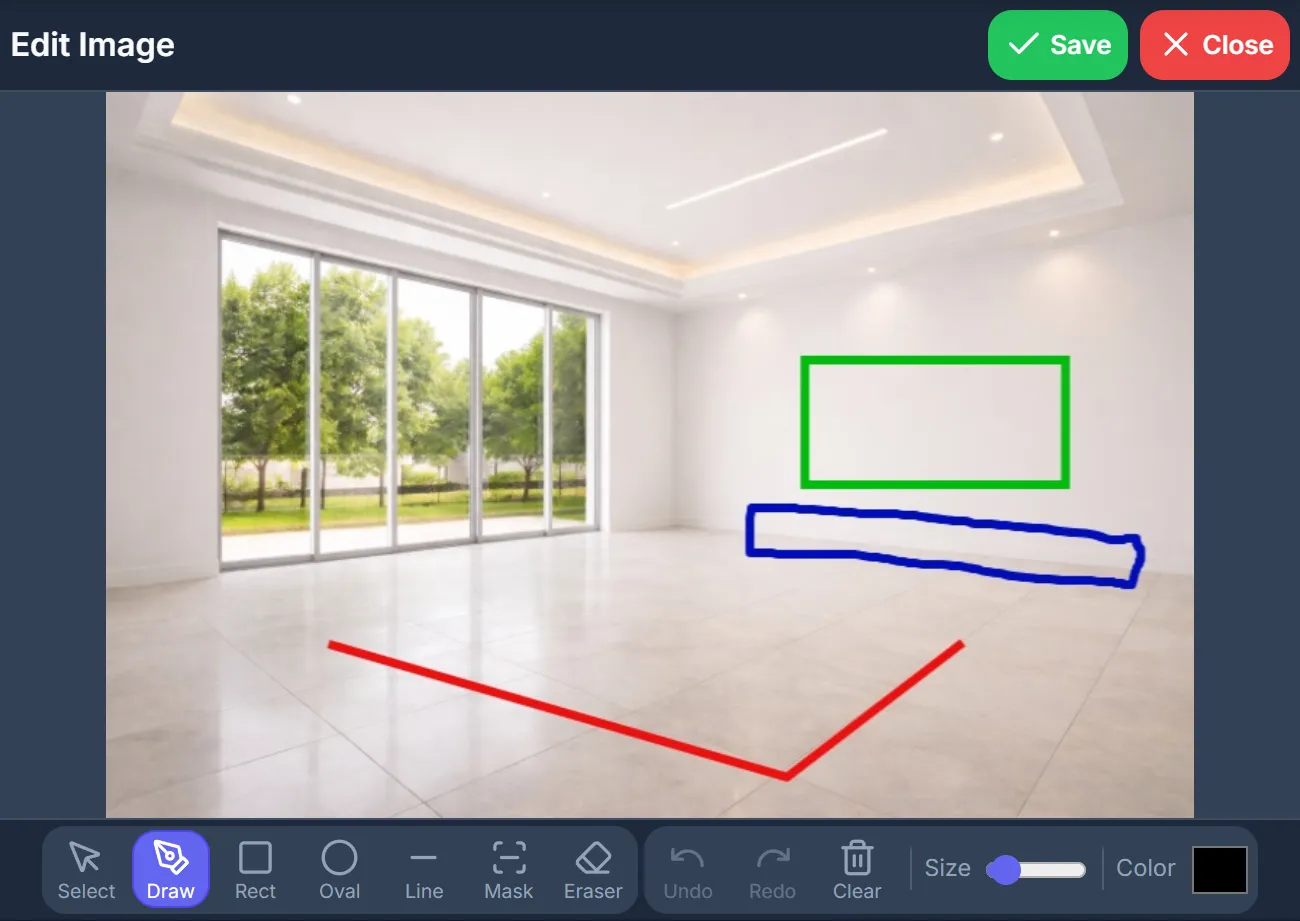
Project Gallery
Save all your room visualizations and access them from any device.
Multi-Model Engine
4+ AI models compete on every request — only the most photorealistic result is delivered.
Why OptimAImage?
Chatbots generate a random kitchen. We transform yours.
| OptimAImage | Free AI Chatbots | Rendering Companies | |
|---|---|---|---|
| Your Actual Room | Transforms your photo — same layout, walls, windows | ✕ Invents a new room — different layout, dimensions, everything | Yes, but requires 3D modeling from scratch |
| Selective Editing | Draw on the photo — change just the countertop, sofa, or wall color | ✕ Regenerates the entire image every time | Possible, but hours of manual work |
| Design Variations | Unlimited styles from one photo — room stays consistent | ✕ Each attempt produces a completely different room | Extra cost and days per revision |
| Ease of Use | Type "modern white kitchen" — AI Agent writes the full prompt for you | Paragraph-long prompts needed for decent results | Design briefs and technical specs required |
| Result Quality | 4+ AI models compete — only the best result delivered | One model, one attempt — hope for the best | High quality, but 3–5 days per image |
Frequently Asked Questions
Upload a photo of any room — your kitchen, bedroom, living room, or any space. Describe the changes you want in plain English (e.g., "modern white kitchen with marble island" or "mid-century sofa with warm lighting"). Our AI Agent expands your description into an optimized prompt, runs it through multiple world-class AI models, and delivers the most photorealistic result — all in under 60 seconds.
Yes! This is one of the most powerful use cases. Take a photo of your room, then describe the furniture piece you're considering — "navy velvet sectional sofa," "walnut dining table," "brass pendant light." See exactly how it looks in your actual space before spending thousands on non-refundable items. Try multiple options from one photo to compare.
Our AI Agent uses multiple competing AI models (including Gemini and GPT Image) and selects the most photorealistic result. While renders are highly detailed and realistic, they are visualization aids meant to help you make confident decisions — not architectural blueprints. Most users find them accurate enough to choose paint colors, furniture styles, and renovation directions with confidence.
Absolutely. Take a photo of the job site, describe the proposed renovation, and generate a photorealistic render in under 60 seconds — right in front of the client. Show multiple design options during a single meeting. No more waiting 3+ days for a rendering company. Plans start at $9.99/month.
Try it — ask ChatGPT to remodel your kitchen. It will generate a beautiful kitchen that looks nothing like yours. The window moves, the layout changes, the dimensions are wrong. That's because chatbots generate generic images from text — they can't actually transform YOUR photo while preserving your room's layout, walls, and windows. OptimAImage does exactly that. Plus, you can draw on specific areas to change just the countertop or just the wall color — chatbots regenerate the entire image every time. And our AI Agent optimizes your simple description across 4+ AI models, selecting only the best result. It's the difference between imagining a kitchen and seeing YOUR kitchen redesigned.
Traditional rendering companies charge $300+ per image and take 3-5 business days. OptimAImage generates photorealistic visualizations in under 60 seconds at a fraction of the cost. You can create unlimited variations — different cabinet colors, flooring options, furniture layouts — instantly.
Yes! Start with one photo and explore unlimited styles — modern, farmhouse, Scandinavian, industrial, mid-century, coastal, and more. Each generation shows you a different possibility for the same space, making it easy to compare and decide on your direction.
Yes! Every new user receives free credits to experience the full power of OptimAImage — including AI Agent optimization, multi-model generation, and all editing tools. No credit card required.
Yes. You retain full ownership of both your uploads and all AI-generated images. Use them in client proposals, social media, listing photos, or any commercial purpose.
Still have questions? Contact our support team
Your Next Space Starts with a Photo
Kitchen remodel, living room refresh, new furniture, virtual staging — see every option before you commit.
Free credits included · No credit card required