Buying new furniture is one of the most frustrating experiences in home design. You spend hours browsing showrooms, measuring your walls, and staring at color swatches. Yet, the moment the delivery truck leaves and your new sofa is placed in your living room, you realize something is off. The fabric clashes with your lighting. The scale feels overwhelming. The room layout suddenly feels cramped.
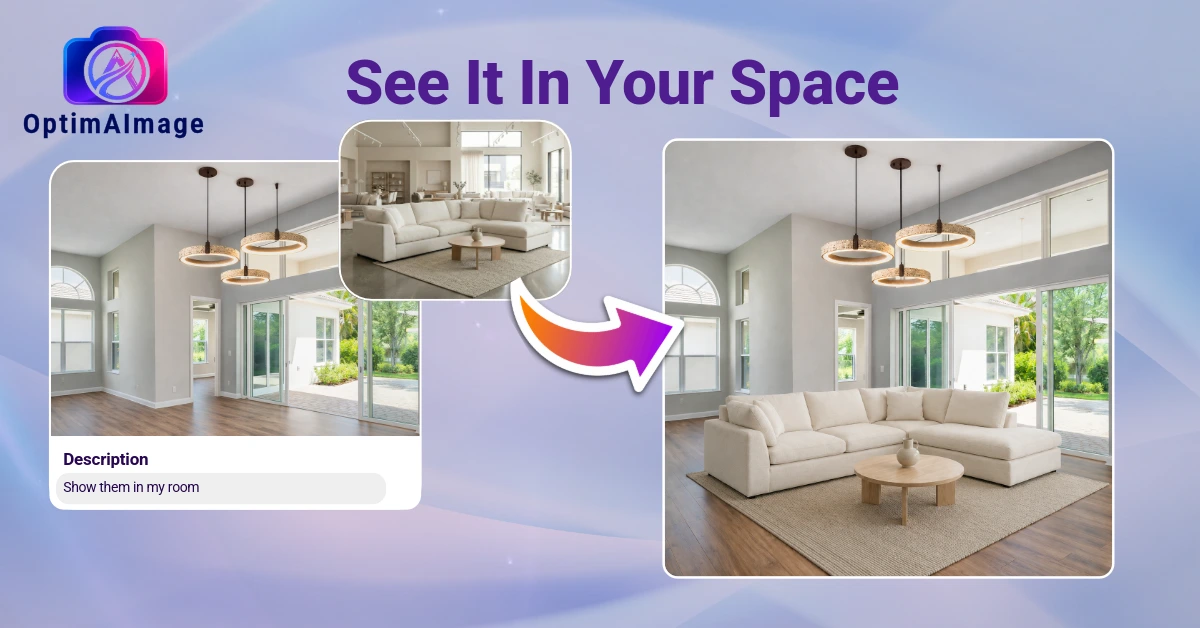
Traditional space planning relies on luck or expensive professional rendering services. But with the rise of spatial artificial intelligence, a new class of tools is bridging the gap between imagination and reality. An AI furniture visualizer allows you to upload a photo of your actual space, describe the furniture pieces you want to see, and generate a photorealistic preview of your redesigned room in under a minute.
This guide explores how to leverage furniture ai to plan your home layout, select the perfect pieces, and create a harmonious interior design without the risk of expensive mistakes.
What is an AI Furniture Visualizer?
An AI furniture visualizer is a specialized software tool that takes a photo of a real room as its structural anchor and uses artificial intelligence to insert, modify, or rearrange furniture. Unlike traditional design software that requires you to build a complex 3D model of your house from scratch, an AI-powered visualizer works directly with the photo you upload.
The intelligence of these tools lies in their spatial awareness. The visualizer analyzes your room's existing layout, lighting, dimensions, and perspective. When you request a new layout, the AI places the furniture directly onto the floor plane, aligns it with the walls, and renders realistic shadows and lighting interactions. This ensures that the generated furniture looks physically present in your home, rather than looking like a flat sticker pasted on top of a image.
Crucially, the best tools preserve the permanent elements of your home. Your windows, trim, doors, and flooring remain untouched, while the furniture, decor, and styling are completely reimagined to match your design goals.
The Limitations of 2D Layout Planners
For years, homeowners and designers relied on 2D floor planners to organize spaces. While these tools are helpful for checking basic clearance and dimensions, they fail to address the visual and emotional aspects of interior design:
- Lack of depth and scale — A black-and-white grid cannot convey how a high-backed armchair will block the natural light from a window, or how a low-profile sectional will make a ceiling feel higher.
- No lighting context — Furniture looks completely different under bright showroom lights than it does in a north-facing living room at sunset. 2D grids cannot simulate shadows or color reflections.
- No material representation — A block representing a sofa does not show you how the texture of boucle fabric interacts with your smooth leather accents or hardwood floors.
- High complexity — Most software that offers 3D rendering requires extensive training, high-performance computers, and hours of manual assembly.
An AI-powered room planner ai solves all of these issues simultaneously. By working from a real photo of your room in its natural lighting, it shows you the exact visual weight, material texture, and shadow depth of any furniture arrangement instantly.
Key Benefits of Visualizing with Furniture AI
Integrating an AI-based workflow into your home styling process offers several key advantages that traditional methods cannot replicate.
Visualizing Scale and Proportion
The single most common mistake in home decoration is buying furniture that is too large or too small for the room. A massive sectional can swallow a modest living room, while a tiny coffee table can make an open-concept space feel unfinished. By using a photo-anchored visualizer, you see exactly how the volume of the furniture interacts with the physical constraints of your walls and doorways.
Testing Colors and Textures Risk-Free
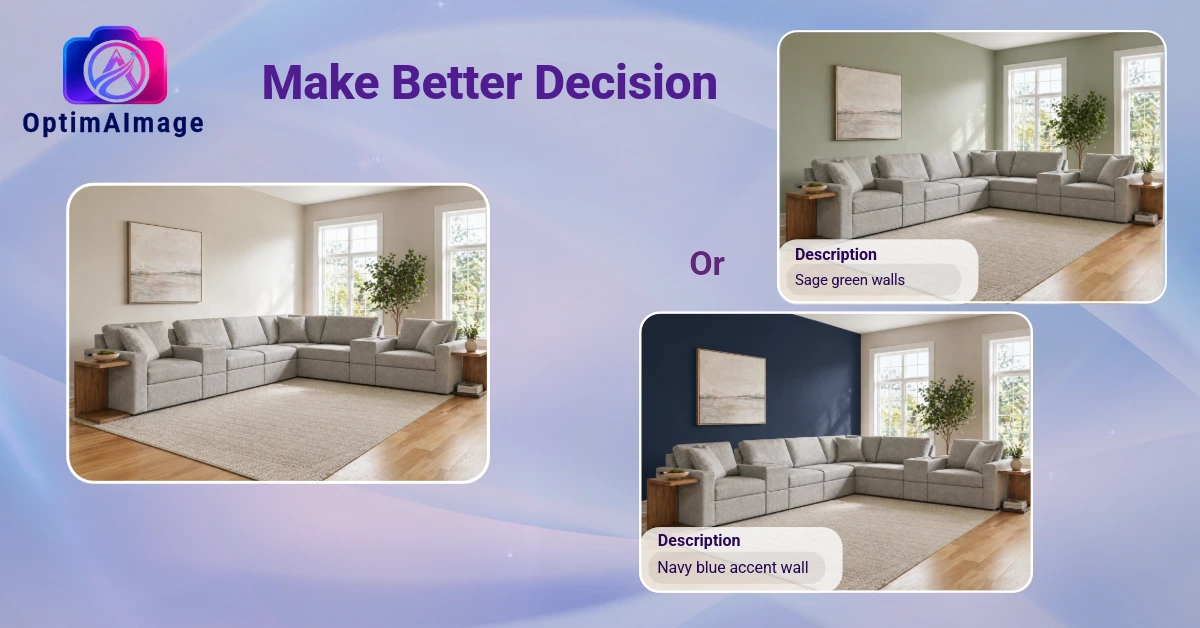
If you are torn between a bold velvet accent chair and a safe linen lounge, you no longer have to guess. You can generate multiple variations of the same room using different upholstery colors and materials. The AI simulates how light bounces off the textures, showing you whether a dark fabric will make a room feel cozy or gloomy.
Instant Concept Exploration
Instead of spending days walking through stores or clipping magazine pictures, you can explore five completely different design styles—from mid-century modern to Japandi—in less than five minutes. This rapid iteration helps you discover your personal style preferences before you spend a single dollar on physical items.
Staging a Room with AI Design Furniture
If you are preparing to stage a home for sale or simply want to refresh a tired room layout, using AI design furniture speeds up the process significantly. Here is the step-by-step workflow to achieve professional-grade styling:
- Capture the space — Take a clean, well-lit photo of the room you want to design. For the best spatial reference, stand in a corner or directly opposite the main wall, shooting at eye level in natural daylight.
- Define your styling goals — Think about the primary function of the room. Are you looking to create a cozy conversational circle, a minimalist workspace, or a family-friendly TV room?
- Describe your furniture preferences — Write a clear description of the items you want to see. For example: "A minimalist living room staged with a cream boucle sofa, a light oak coffee table, a jute area rug, and olive green accent pillows."
- Optimize the prompt — An advanced AI agent will take your simple description and expand it into a detailed technical prompt, ensuring that the lighting, shadows, and materials render with absolute photorealism.
- Generate and compare — The prompt runs through multiple high-performance AI models, returning the highest-quality design. Generate multiple options to compare layout arrangements and color harmonies side by side.
From Living Rooms to Cozy Nooks: The AI Sofa Guide
The sofa is the anchor of almost every living space. It is typically the largest investment you will make in a room, making it the most critical decision to visualize ahead of time. When using a visualizer to test an ai sofa in your home, consider these key aspects:
- Sectional vs. traditional — Test whether an L-shape sectional blocks key walkways or if a classic sofa-and-chair combination creates a better traffic flow.
- Color matching — See how the sofa upholstery coordinates with your existing flooring and wall colors under different lighting conditions.
- Accompanying decor — Use the visualizer to place coffee tables, side tables, and floor lamps around the sofa to see if the entire grouping feels balanced and cohesive.
Getting Started
Your home should be a reflection of your personal taste, designed with absolute confidence rather than guesswork. AI-powered visualization tools remove the uncertainty from space planning, allowing you to preview your dream layouts in stunning, photorealistic detail before ordering a single piece.
OptimAImage provides a premium suite of tools tailored for homeowners, staging professionals, and interior designers who want to achieve pixel-perfect visualizations. We offer competitive premium subscription packages tailored to your project scale. To choose the option that fits your design workflow, visit our premium plans page to compare details.
Ready to see your design ideas come to life? Visit the OptimAImage homepage to start designing on the web, or download our mobile app directly from the Google Play Store to visualize your space on the go.