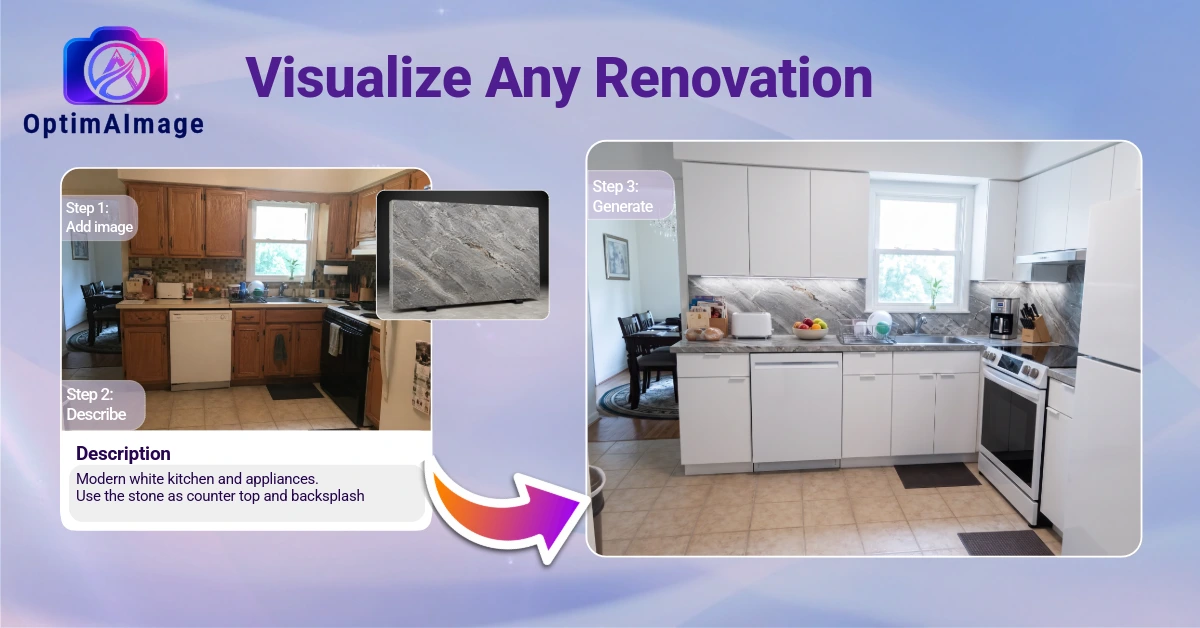
You've been there. You walk a homeowner through a proposed kitchen remodel, describe everything in detail — new cabinets, quartz countertops, new tile backsplash, under-cabinet lighting — and you can see them nodding along while their eyes glaze over. They're trying to visualize it. They can't. And when they can't see it, they hesitate.
That hesitation is where deals die.
The contractors winning more bids in 2026 aren't necessarily cheaper or more experienced — they're better at helping clients see the finished project before a single tile is pulled. And they're doing it in the room, during the proposal meeting, using AI visualization tools for business that generate photorealistic renders in under a minute.
Here's how it works, and how you can make it part of your sales process today.
The Proposal Problem
Every contractor knows that the gap between "what I described" and "what the client imagined" is where misunderstandings — and unhappy clients — come from. Even well-detailed proposals leave clients constructing their own mental image of the finished result, and that mental image is almost never exactly what you had in mind.
Traditional rendering companies solve this with 3D visualizations, but they cost $300 to $1,000 per image and take 3 to 5 business days. By the time the render comes back, the client has already gotten three other bids, two of which had nice glossy folders with stock photos that looked nothing like their actual home.
AI renovation renders solve the problem differently: you generate a photorealistic visualization of the client's actual space during the proposal meeting, in under 60 seconds.
What AI Renovation Visualization Looks Like in Practice
Here's a real-world scenario. You're at a kitchen consultation. You've measured the space, you know what you're proposing. Before you leave, you take a photo of the kitchen on your phone.
Back at your truck, or right there at the kitchen table with the homeowner, you open OptimAImage and upload the photo. You type: "white shaker cabinets, quartz countertops in Calacatta Gold, brushed nickel hardware, subway tile backsplash, light hardwood floors."
Within 60 seconds, you're showing the homeowner a photorealistic image of their actual kitchen — same layout, same window, same ceiling height — redesigned according to your proposal.
Their reaction is almost always the same: immediate emotional engagement. They stop seeing a proposal on paper and start seeing their future kitchen. That's when the conversation shifts from "how much is this going to cost?" to "can we add an island?"
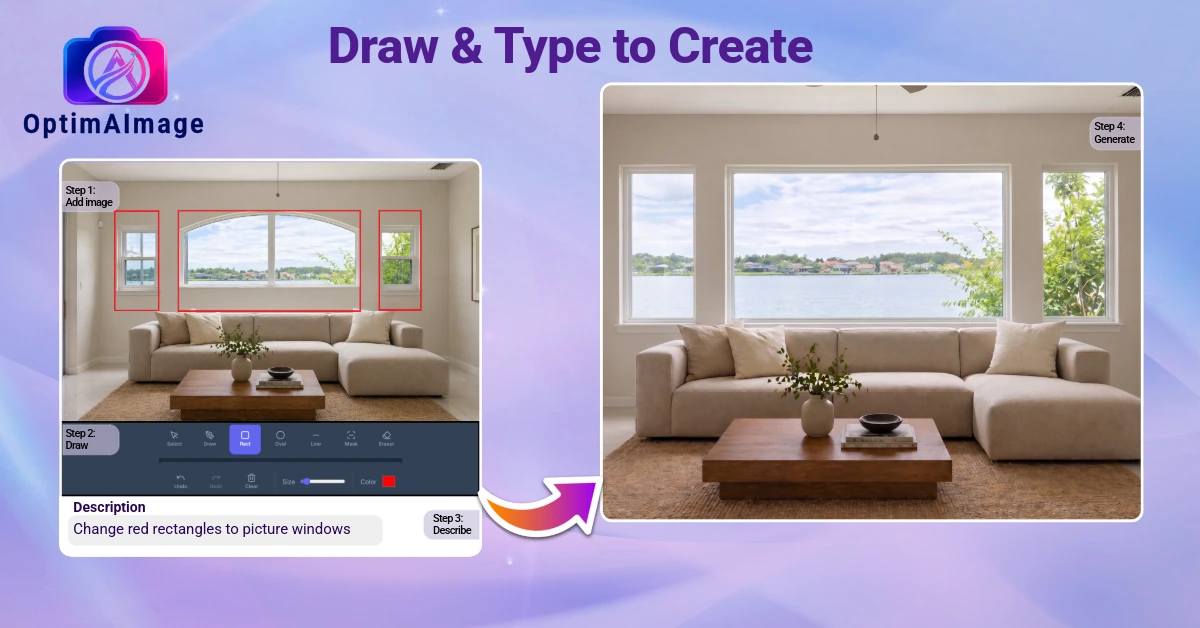
Why This Closes More Deals
Confidence replaces doubt. When clients can see what they're paying for, the uncertainty that creates hesitation disappears. They know what they're getting. That makes signing a contract feel much lower-risk.
You stand out from every other bid. Most contractors hand over an itemized estimate and a handshake. You walk out of the meeting having already shown the client their new kitchen. The comparison isn't even close.
Design decisions get made faster. Instead of a three-week back-and-forth about cabinet colors, you generate multiple options in the meeting. Client picks their favorite. Scope is locked. Project starts sooner.
Scope creep drops. When the client has seen the result and signed off on a visual, they have a clear reference point. Requests to change course midway through are less likely because expectations were set visually, not just verbally.
Change orders become revenue, not conflict. When a client wants to see "what if we did the island in a contrasting color," you generate it on the spot. If they want it, they pay for it. If they don't, you haven't lost anything.
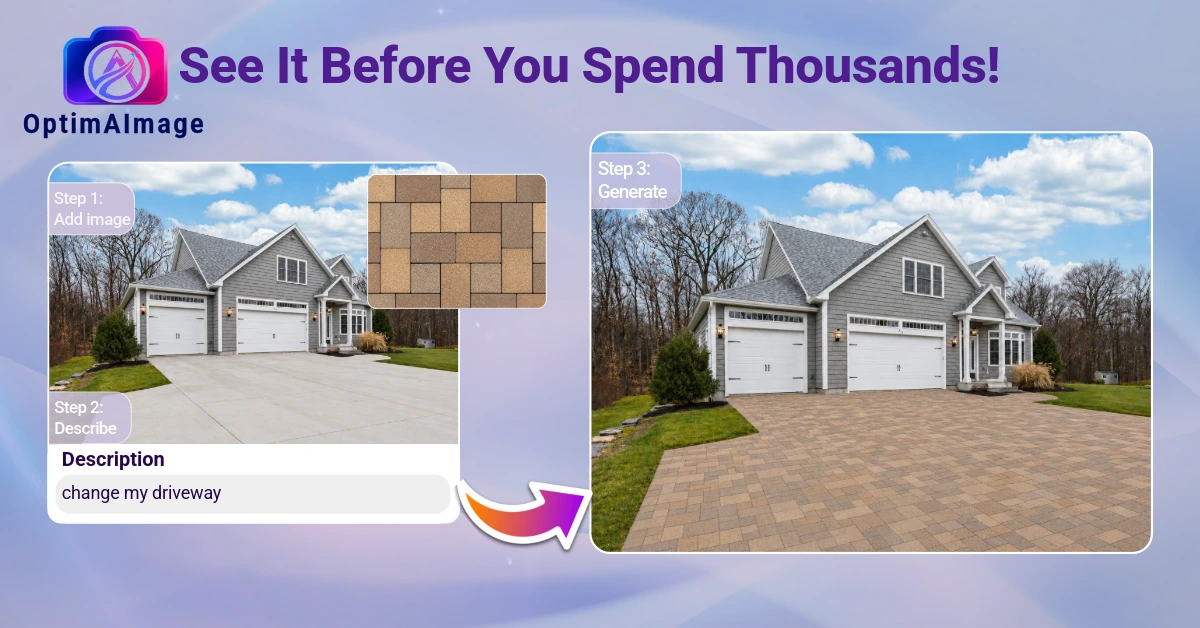
How to Use AI Renders in Your Proposal Process
During the walkthrough: Take photos of every space you're proposing work on. Use your regular phone — no special equipment needed.
Before you leave the site: If you have time, generate a quick render on the spot and share your screen. The "wow" moment while you're still in the room is powerful.
In your proposal document: Include the AI renders alongside your itemized estimate. A before/after pair is worth more than a full page of written description.
For multiple finish options: Generate renders showing Option A (standard package) and Option B (premium upgrade). Clients are much more likely to choose the upgrade when they can see the difference visually.
On your website and social media: Before-and-after renders of your project proposals (with client permission) make extraordinarily compelling content for Instagram, Houzz, and your own website.
What to Say When Clients Ask How Accurate It Is
Be straight with them: "This is an AI visualization of your space to help you see the direction we're heading. The actual materials will be selected from real samples, and the finished result might vary slightly in lighting or exact shade — but this gives you a very accurate sense of the overall look and feel we're designing toward."
Most clients appreciate the transparency, and they especially appreciate that you gave them something to react to rather than leaving them to imagine it themselves.
The Bottom Line
The contractors who thrive in competitive markets are the ones who make it easiest for clients to say yes. AI renovation renders eliminate the single biggest barrier in the proposal process: the client's inability to visualize the finished project.
If you're spending time and money on proposals that don't convert, AI visualization is one of the highest-ROI tools you can add to your process — not just because it impresses clients, but because it fundamentally removes the hesitation that kills deals.
Try OptimAImage free — upload a job site photo today and see what your next proposal could look like. No credit card required.