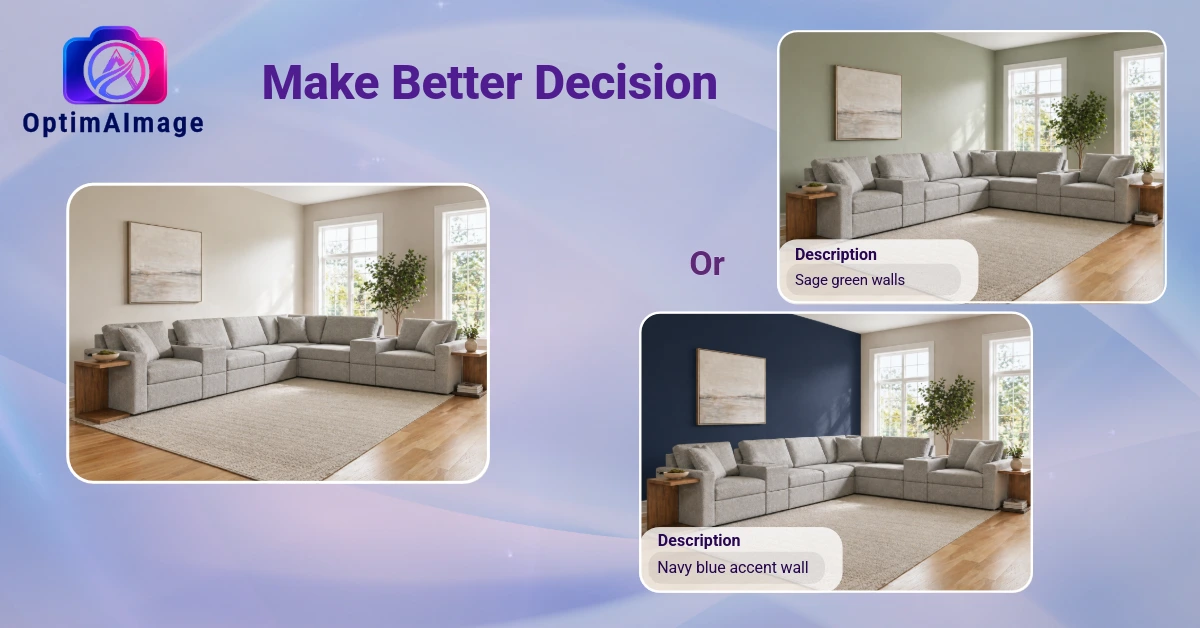
Have you ever ordered a new sofa, watched it arrive, and immediately known it was wrong for the space? Or paid $12,000 to have your kitchen cabinets painted, only to realize the color looked nothing like you imagined? You're not alone — and you're not out of options anymore.
AI room visualization has changed how homeowners plan renovations, redecorate, and buy furniture. Instead of guessing (and paying for expensive mistakes), you can now upload a photo of your actual room, describe what you want, and see a photorealistic preview of the finished result in under 60 seconds.
This guide covers how AI room visualizers work, who they're best for, and what separates a genuinely useful tool from one that just generates a random-looking kitchen that has nothing to do with your home.
What Is an AI Room Visualizer?
An AI room visualizer is a tool that takes a photo of your existing space and uses artificial intelligence to show you what that room would look like after changes — new furniture, a fresh coat of paint, renovated cabinets, different flooring, you name it.
The key word is your room. The best AI room visualizers preserve the actual layout, dimensions, windows, and walls of your space while applying design changes on top. The result is a photorealistic image of your room — not a generic stock photo of a similar-looking kitchen, but your kitchen, redesigned.
Why Not Just Use ChatGPT or Gemini?
This is the most common misconception. People open ChatGPT, type "show me my kitchen with white marble countertops," and get back a beautiful image — that has nothing to do with their kitchen. The window moved. The layout changed. The ceiling height is different.
That's because general AI chatbots generate images from text descriptions. They have no idea what your room actually looks like. They're imagining a kitchen, not transforming yours.
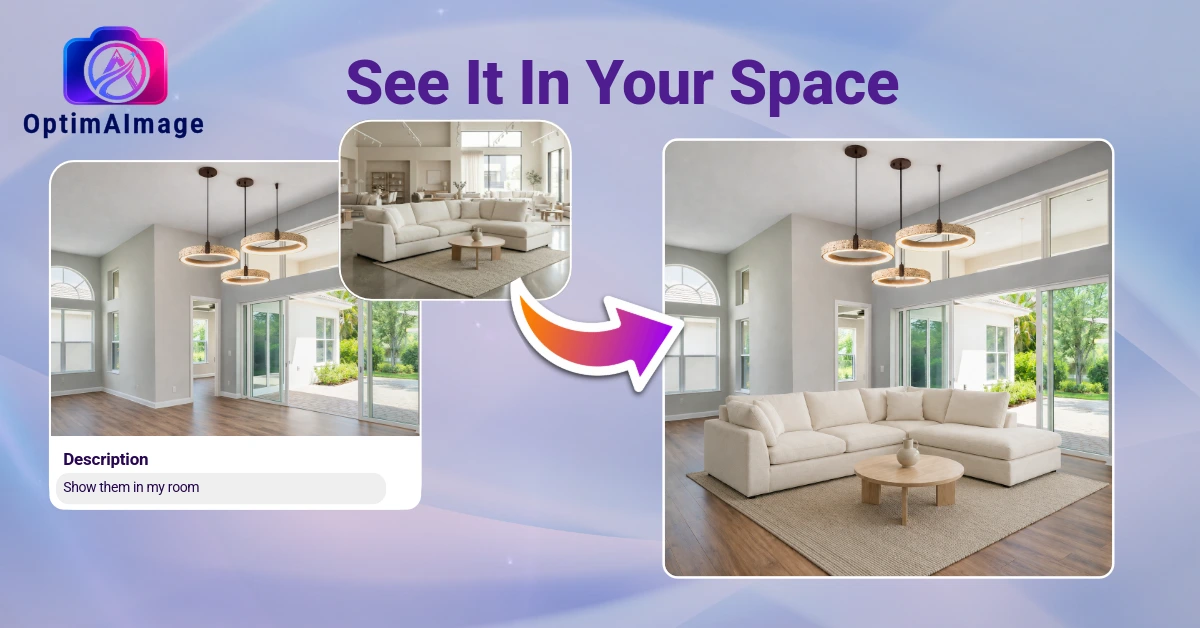
A purpose-built AI room visualizer works differently. It takes your actual photo as input and uses it as the anchor for all generated output. Your walls stay in place. Your window doesn't migrate to a different wall. The proportions match your real space.
What Can You Actually Visualize?
The short answer: almost anything. The most popular use cases include:
Furniture placement — Before you order that $3,000 sectional, see exactly how it fits in your living room with your current rug, walls, and lighting. Most non-refundable furniture mistakes happen because people can't visualize scale in their head.
Paint colors — Forget paint chips taped to the wall. Upload your room photo and see a full render of what a specific color looks like on your actual walls, in your actual lighting conditions.
Full room redesigns — Not just tweaking one element but reimagining the whole room. Want to go from traditional to Scandinavian? From builder-grade to modern farmhouse? Try unlimited styles on the same photo.
Kitchen and bathroom renovations — The highest-stakes decisions in any home renovation. Cabinet finishes, countertop materials, backsplash tile, flooring — all visualizable before you write a check.
Selective edits — Change just the countertop. Or just the backsplash. Or draw on a specific wall area to see what happens if you add an accent wall. You don't have to commit to regenerating the entire room when you just want to tweak one detail.
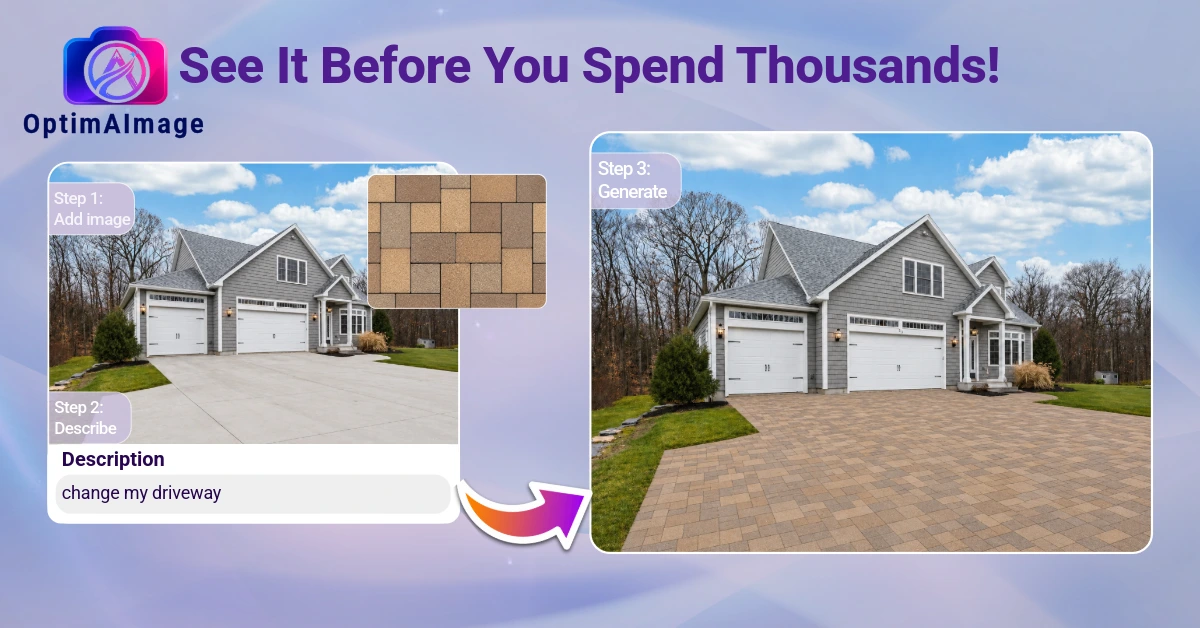
Exterior upgrades and curb appeal — Driveway pavers, siding colors, front door updates, even landscaping. The same visualization that works for interiors works just as well for the front of your house — and getting curb appeal right matters whether you're selling or staying.
How OptimAImage Works
OptimAImage is built specifically for this: transforming your photo while preserving everything that makes your room yours.
Here's the workflow:
- Upload your photo — take a photo of your room on your phone or use an existing one
- Describe the changes — in plain English: "modern white kitchen with a marble island and matte black hardware"
- AI Agent optimization — OptimAImage's AI Agent expands your simple description into a full technical prompt optimized for photorealistic results
- Multi-model competition — multiple AI models each generate a result; only the most photorealistic one is returned to you
- Receive your visualization — in under 60 seconds
You can also use the AI Photo Editor to draw directly on the photo and target specific areas for changes, rather than regenerating the entire room.
Who Benefits Most from AI Room Visualization?
Homeowners planning a renovation — Before you commit $15,000 to a kitchen remodel, see what it looks like first. Run through five different cabinet color options. Try marble vs. quartz on the countertops. Know what you're paying for before you pay.
Furniture shoppers — The most practical everyday use case. A photo of your room plus a description of the item you're considering gives you a realistic preview before purchase.
People selling their home — Whether you're deciding what repairs are worth making before listing or just want to see the potential of a space, visualization helps you prioritize improvements that will actually show well.
Renters making temporary changes — Want to see if a gallery wall would work in your living room? Or how a new rug would tie the room together? Visualize it without committing.
Tips for Getting the Best Results
Use a well-lit photo — Natural daylight gives AI models the most accurate color information to work with. Avoid dark, heavily shadowed photos.
Shoot straight-on when possible — A slightly elevated, straight-on angle gives the AI model the best spatial reference for maintaining your room's proportions.
Be specific in your description — "Modern kitchen" gives the AI a lot of latitude. "Modern white shaker cabinets with quartz countertops, brushed gold hardware, and light oak hardwood floors" gives it the information it needs to match your vision.
Try multiple styles — The best way to discover what you want is to see options side by side. Generate the Scandinavian version and the mid-century version of the same room before deciding.
Use selective editing for fine-tuning — If you love 90% of a result but want to change the backsplash, use the draw-to-edit feature rather than regenerating the whole image.
The Bottom Line
AI room visualization removes the biggest obstacle to confident home design decisions: the inability to see the future. Whether you're picking a paint color or planning a full renovation, seeing photorealistic results before you commit saves money, reduces regret, and makes the process genuinely enjoyable.
OptimAImage is free to try — see our plans, no credit card required. Upload a photo of any room and see your vision come to life in under 60 seconds.