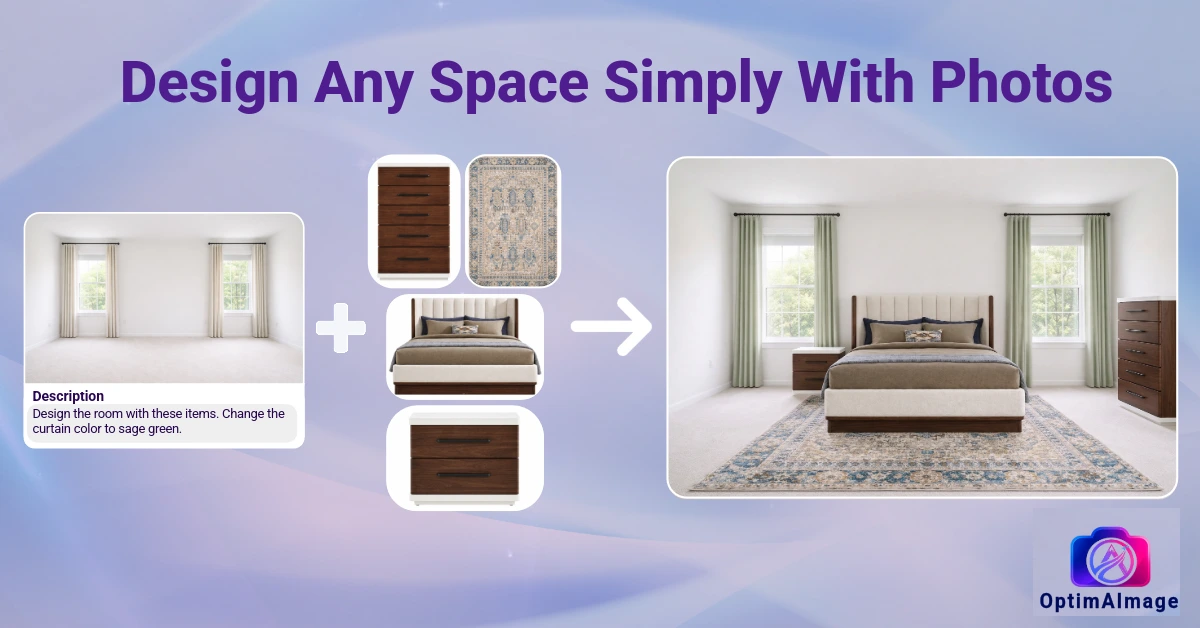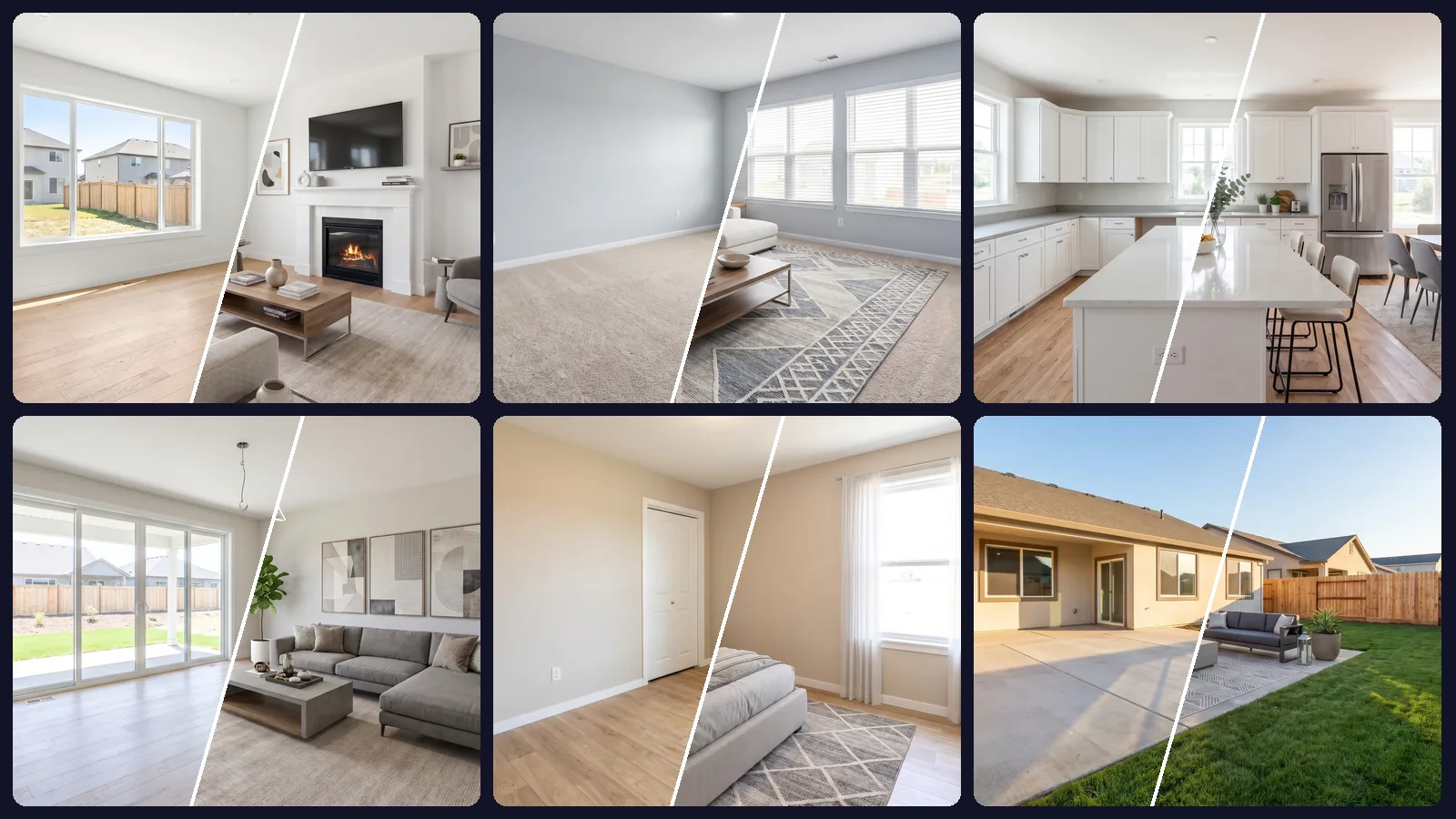
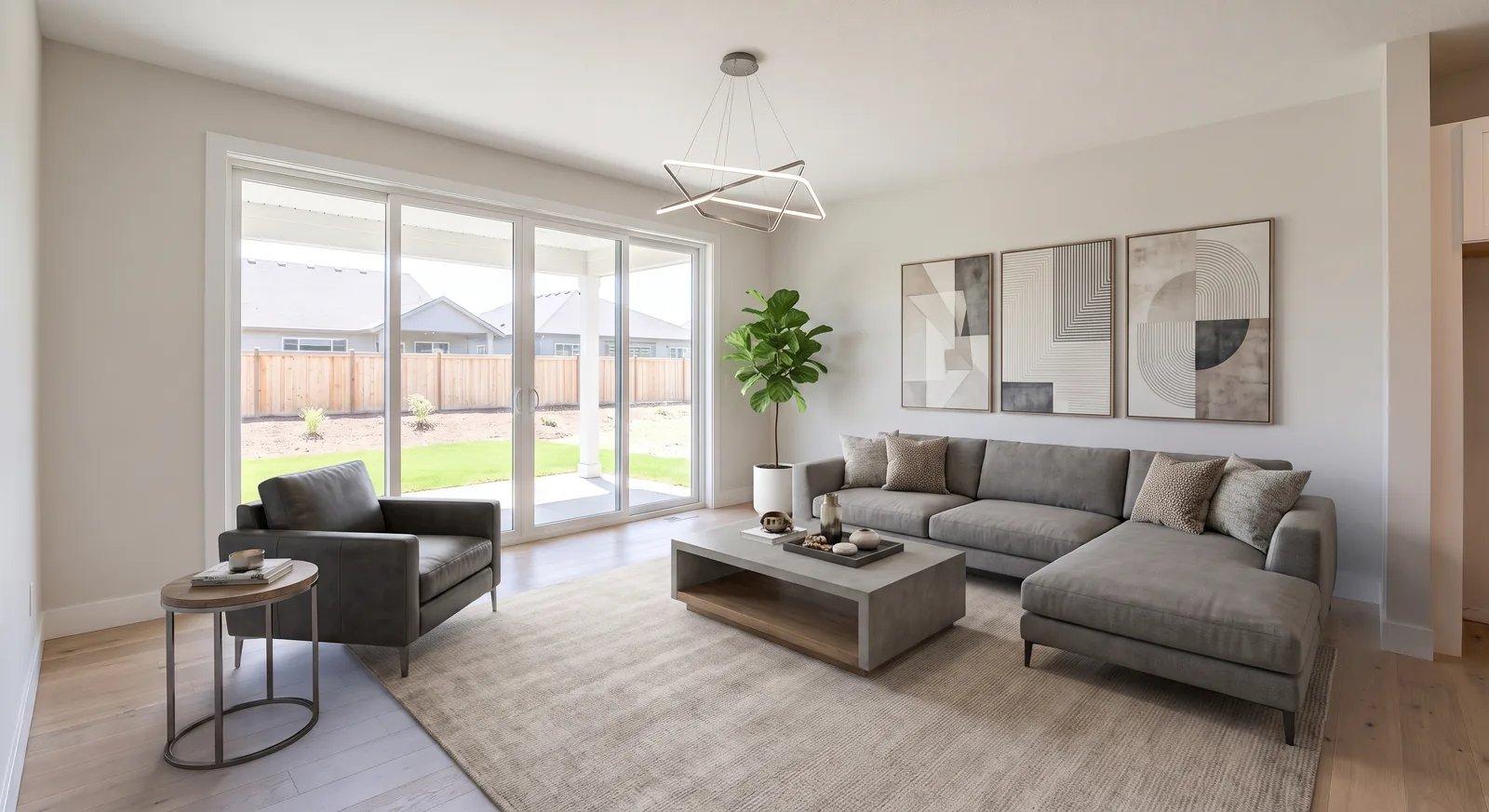
Staging works because buyers struggle to imagine furniture in an empty room. The question is never whether to stage a listing, it's how much to spend doing it. Virtual staging cost ranges from thousands of dollars per home to a few cents per photo, depending on which of three very different approaches you choose.
This guide breaks down each option, shows the math for a typical 20-photo listing and explains the hidden costs that rarely make it into a quote.
The three ways to stage a listing
Physical staging
A staging company delivers rented furniture, sets up every room, and picks it all up after the sale. Prices are commonly quoted in the $2,000 to $5,000+ range per home, and monthly rental fees continue while the property sits on the market.
You get real furniture for in-person showings, which matters for luxury homes and open houses. You also get scheduling, delivery windows, insurance questions and a restyle that means paying again.
Per-photo virtual staging services
You send photos to a service, a designer furnishes them digitally and returns the images. Pricing is usually per photo, commonly $25 to $100+ each, with turnaround measured in days. Revisions may or may not be included.
AI virtual staging
You upload the photos yourself, describe the style in a sentence and the AI furnishes each room. With OptimAImage the cost is measured in credits per image, and there is no designer queue between you and the result.
Virtual staging cost for a 20-photo listing
Here is the same listing priced three ways. Let's say 20 photos, of which the empty rooms need staging and the rest need light cleanup.
- Physical staging: $2,000 to $5,000+ for the home, plus monthly rental if it doesn't sell quickly.
- Per-photo service: 20 × $25 to $100 = $500 to $2,000, before revisions.
- AI virtual staging, Fast mode on the annual Pro plan: about $0.09 per photo, so 20 photos ≈ $1.71.
- AI virtual staging, Max quality mode on the Starter plan: about $0.33 per photo, so 20 photos ≈ $6.66.
The AI figures come straight from plan math: annual Pro works out to roughly $29.99 a month for 350 Fast images, and Starter is $9.99 a month for 3,000 credits at 100 credits per Max image. You can check the current numbers on the pricing page.
Even at the highest AI quality setting, staging a full listing costs less than a single photo from a traditional service.
What changes the price of AI virtual staging
AI pricing is simple, but a few choices move the total:
- Quality mode. Fast, Balanced, High and Max use different amounts of credits. Fast is the cheapest per photo; Max produces the most detailed result.
- Number of photos. You pay per image, so staging only the empty rooms costs less than editing the whole gallery.
- Variations. Generating two to four versions of a hero room to pick the best one multiplies that photo's cost, and is often worth it for the cover image.
- Restyles. Trying a second style for the whole listing is one more batch, not a new contract.
- Plan and billing period. Annual plans lower the price per credit, which is why the annual Pro plan gives the lowest cost per photo.
A practical approach: stage the full listing in Fast mode to choose a style, then re-run only the two or three cover-worthy rooms in Max.
The hidden costs nobody quotes
The sticker price is only part of the bill. These are the costs that tip the decision:
- Restyling. A buyer profile changes, or the seller hates the look. Physically restaging means another visit. A per-photo service charges again. With AI, a new style is a new prompt.
- Your time. Coordinating stagers, chasing deliveries or writing revision notes is unpaid work. Typing one sentence for a whole listing is not.
- Days on market before photos go live. Every day spent waiting for staged images is a day the listing goes out with empty rooms or doesn't go out at all.
- Consistency. When different rooms are staged by different people, or one photo at a time, the home can look like five different houses. A single brief applied to every photo keeps the listing coherent.
When physical staging is still worth it
AI staging is a photo product. If buyers will walk through a vacant luxury home during open houses, real furniture still sells the in-person experience. Many agents combine both: physical staging for the two or three rooms that matter most in person, virtual staging for every photo online.
How to get the most out of an AI staging budget
- Start with good photos. Wide, level, well-lit shots of empty rooms produce better results. Our guide on how to photograph empty rooms for virtual staging covers the setup.
- Stage the whole listing at once. Batch edit lets you upload up to 100 photos and apply one prompt to all of them, which is cheaper in time than editing photo by photo and keeps the style consistent.
- Pick the quality mode per job. Fast mode is ideal for drafts and rentals; Max is worth it for hero shots.
- Disclose it properly. Virtually staged photos must be labeled in most markets. Read our virtual staging disclosure guide before you publish.
Getting started
If you want to see the real output before you spend anything, look at the six-room example on our AI virtual staging page: one prompt, one batch, every room furnished. New accounts get free credits with no credit card required, so you can price your own listing with your own photos.