Video tutorial · 1:08
Landscape Design: Use a template idea
Your photo + one look
Here's how to try a ready-made look on your own photo.
Step by Step
Upload your photo
First, upload a photo of your backyard.
Tap Choose a look
Then tap Choose a look, to open the ready-made ideas.
Pick what you want to do
Pick what you want to do, and the space.
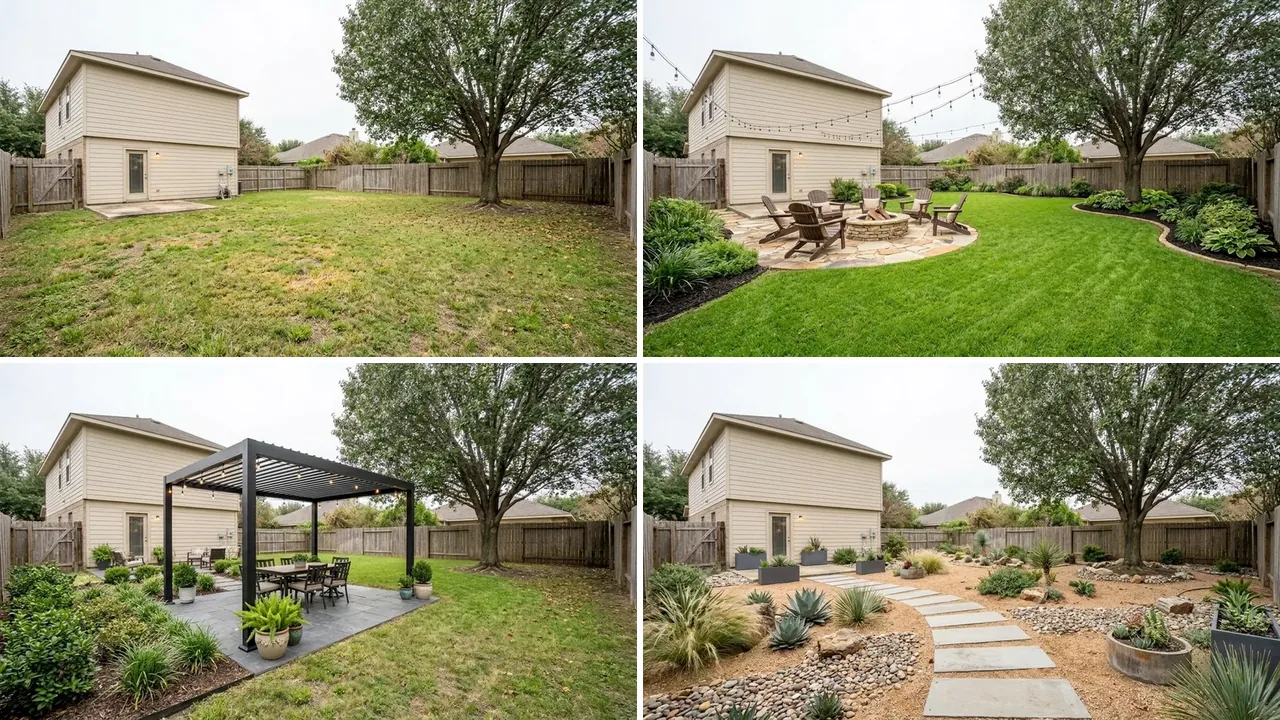
Pick a look: Patio with fire pit
Pick the look you like. Each example shows it on a sample photo.
Use the look
Tap Use this look. The description is written for you.
Make it yours
The look is only a starting point, and you stay in full control. For example, add a photo of the pavers you like, and write: use these for the patio, and keep the big tree.
Check the cost, then Generate
Check the cost, and tap Generate.
Your image is on its way
It's on its way. You can close the app: you'll get a notification when it's done.
Compare before and after
Here's your backyard in the new look. Drag the slider to compare.
Try It on Your Own Photo
Free trial · No credit card · Plans from $9.99/mo
Plans from $7.50/month or pay as you go · Cancel anytime