

AI kitchen remodel from your own photo

AI Kitchen Remodel Best & Simplest

Upload a photo of your kitchen, pick a look or describe the remodel, and compare new kitchens side by side.

If we can't do it, no one can.

Plans from $7.50/month or pay as you go · Cancel anytime
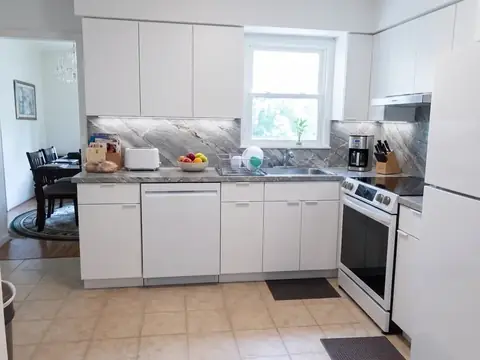
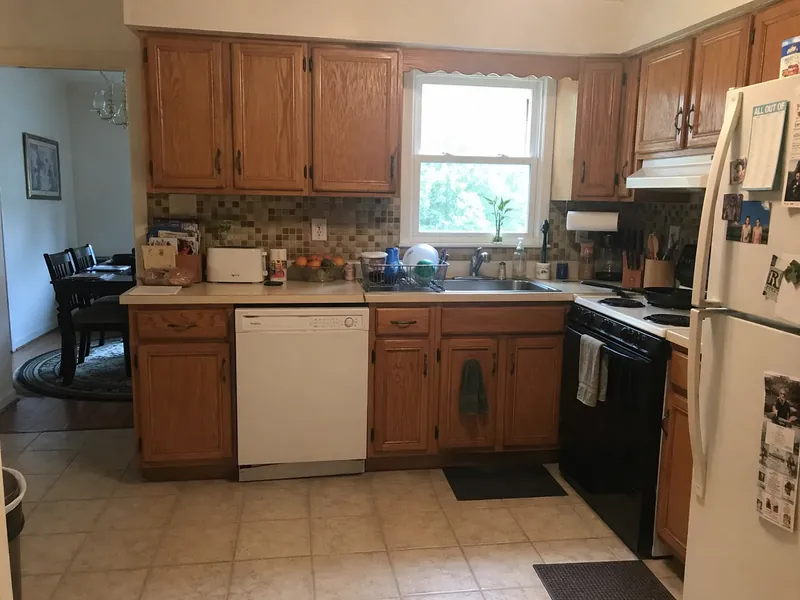
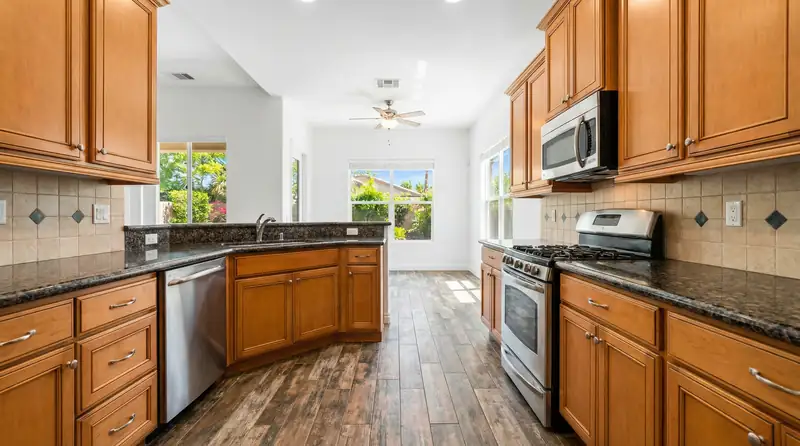
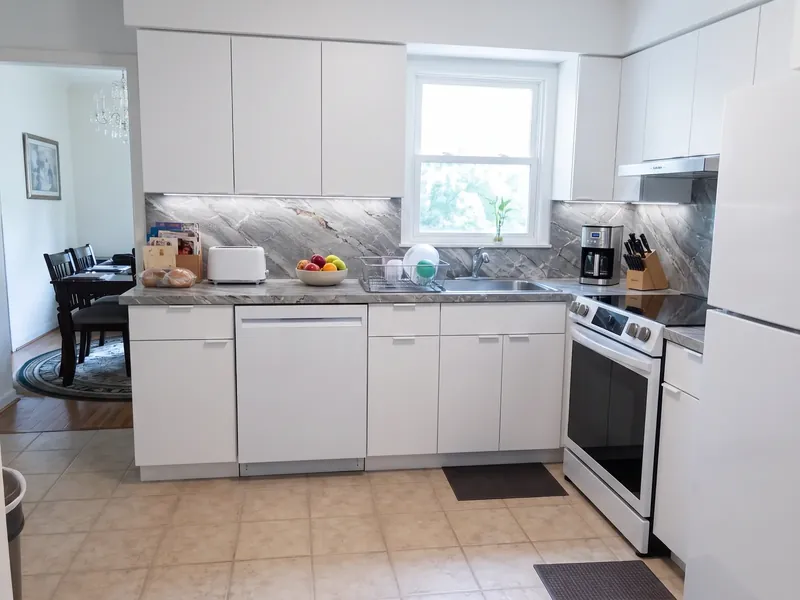
Kitchen + stone slab: the original photoYour photo
Reference photos
Cream marble slab used for the countertop and backsplash
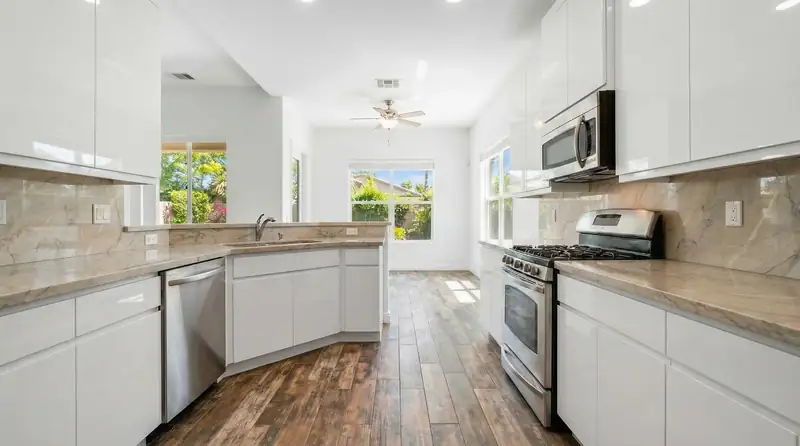
Your wordswhite flat high-gloss mdf cabinets, use the slab as counter-top and backsplash, same appliance

Kitchen remodel before and after

AI Kitchen Remodel Examples: Before and After

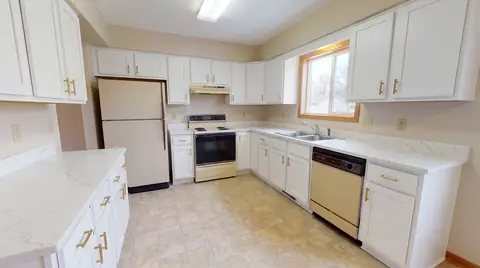
  • AI kitchen remodel with the chosen marble slab: white high-gloss cabinets, same appliancesKitchen + stone slab
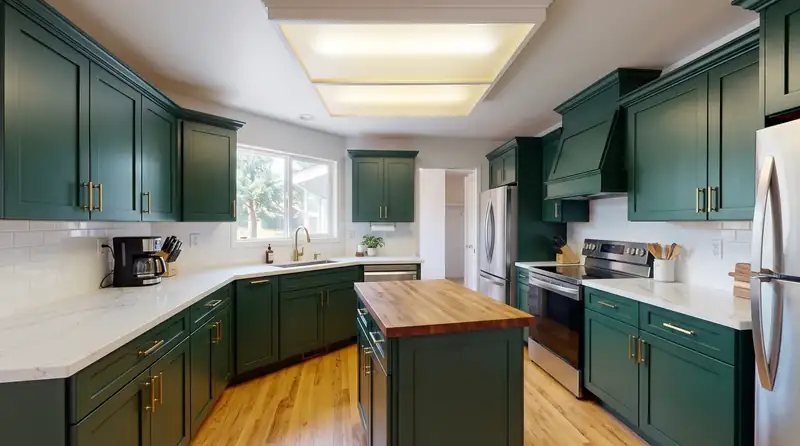
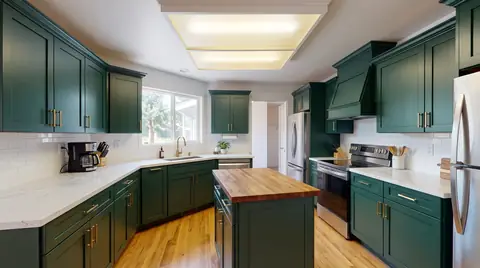
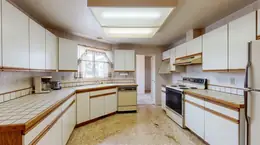
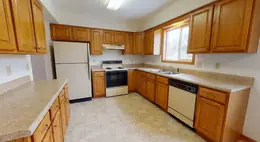
  • AI kitchen remodel: a dated white laminate kitchen with dark green cabinets and a kitchen islandGreen + island
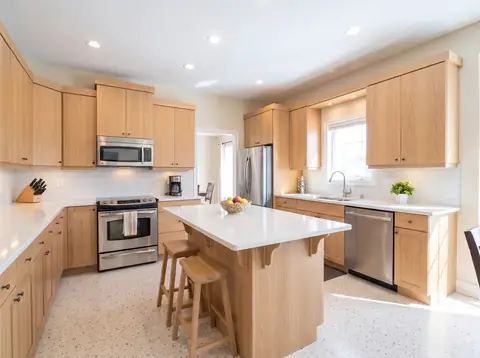
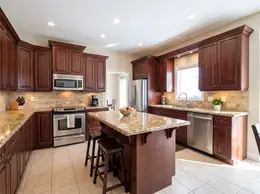
  • Scandinavian kitchen remodel: cherry cabinets replaced with light oak, white quartz and a terrazzo floorScandinavian
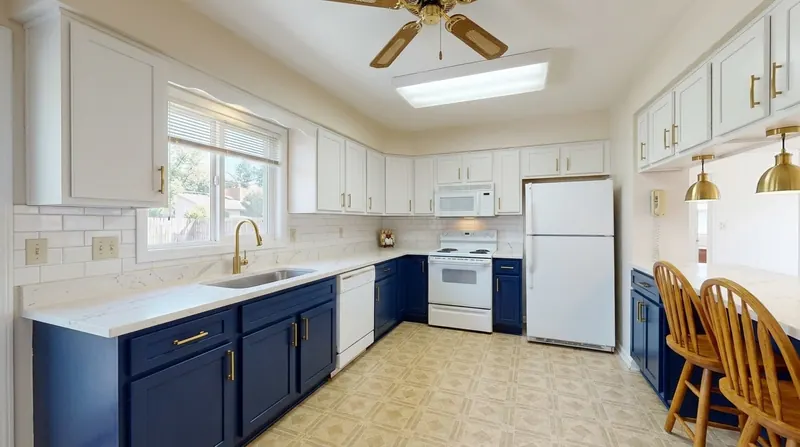
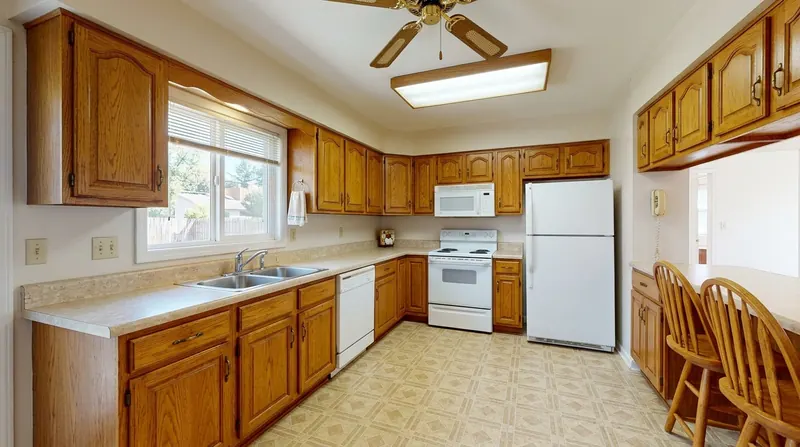
  • White shaker kitchen remodel: oak cabinets painted white with quartz countertops and brass hardwareWhite shaker
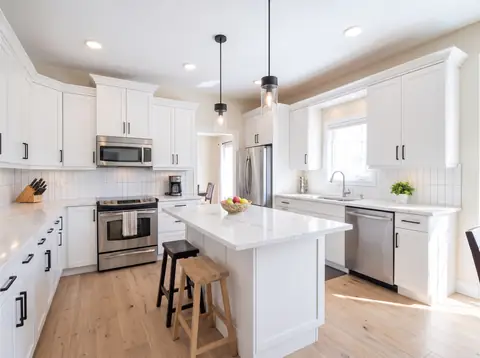
  • Modern kitchen remodel, variation 1: white cabinets and a light wood floorModern, variation 1
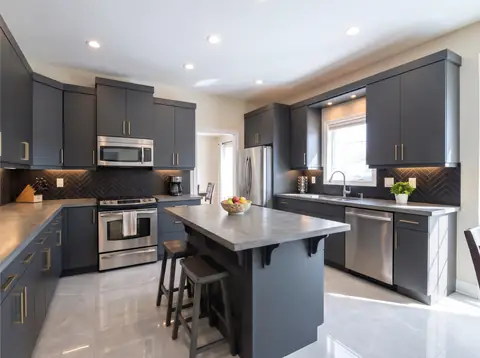
  • Modern kitchen remodel, variation 2: charcoal cabinets and a gray floorModern, variation 2
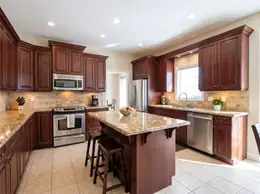
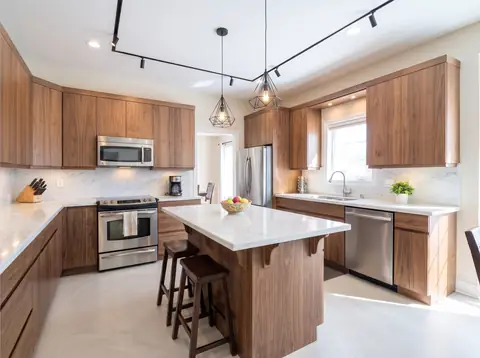
  • Modern kitchen remodel, variation 3: walnut cabinets and track lightingModern, variation 3

Every Kitchen Remodel Idea, on Your Own Kitchen

What you can change

  • Cabinets
  • Countertops
  • Backsplash
  • Kitchen island
  • Flooring
  • Lighting
  • Hardware
  • Appliances

Kitchen styles

  • Modern
  • White shaker
  • Scandinavian
  • Modern farmhouse
  • Two-tone
  • Dark green
  • Transitional
  • Mid-century modern

Kitchen remodel visualizer

How the AI Kitchen Remodel Works

  1. Photograph your kitchen

  2. Pick a look or describe it

  3. Compare kitchen designs

  • See more tutorialsEvery video, by tool and by room
Kitchen Remodel: Use a template idea (1:09)

AI kitchen design templates

Your kitchen. A new direction.

Pick a ready-made kitchen look, then make it yours: new cabinet color, countertop or backsplash, or a photo of the stone you picked. Compare up to four versions.

Two-toneTwo-toneAI sample photoAI sample photo

AI kitchen remodel video

Share a clearer direction.

Turn your kitchen's before and after into one short video, directed by your own words.

  1. Add your kitchen before and after
  2. Describe the change in your own words
  3. Review the price, then render

Kitchen remodel options compared

OptimAImage vs ChatGPT vs Kitchen Designers

A Showroom Shows Their Kitchen. We Show Yours.

The intelligent choice

OptimAImage

One AI Agent instead of a stack of design apps.

  • Keeps your real kitchen layout
  • Uses the slab or tile you picked
  • Changes one exact spot
  • 1–4 kitchen designs per request
  • Results while you wait
  • One sentence is enough
  • Ready-made kitchen looks to start from
  • Turns your new kitchen into a video

AI chatbots

ChatGPT, Gemini & more

vs OptimAImage
  • No: Often redraws your whole kitchen
  • No: Can’t reliably use the slab or tile you picked
  • No: No edits to one marked area
  • No: One photo per chat
  • No: A long prompt for every change

Good for: rough kitchen ideas.
Kitchen designers

Kitchen designers & showrooms

vs OptimAImage
  • No: Appointments before you see anything
  • No: Days to weeks per design
  • No: Showroom kitchens, not yours
  • No: Every change is a new request
  • No: Hard to compare many styles

Good for: detailed plans and ordering.

Other tools and services vary by provider and brief. AI results are visualizations; review details before buying or building.

Start on your phone. Finish on the big screen.

AI home design app for iPhone, Android & web

Your ideas go wherever you do. Your saved designs, plan and credits follow your account across iPhone, Android and the web.

  • Your saved gallery, across devices
  • Your plan and credits in the same account
  • One familiar way to describe every idea

Design on the big screen

Open OptimAImage in any browser on your computer. Nothing to install, and every design you made on your phone is already there.

Open the web app

Use the same account on every device.

Customer stories

AI Kitchen Remodel for Homeowners, Contractors and Designers

From one room to a whole listing: real people use OptimAImage to decide faster and explain their ideas without the back-and-forth.

  • I showed my contractor the exact render. Zero back-and-forth. Zero surprises.
    Sarah M., Dallas TXHomeowner
  • My clients approve designs on the first call now. I've cut revision time in half.
    James R., Austin TXContractor
  • I can present 4 concepts in the time it used to take me to make one mood board.
    Priya K., NYCInterior designer
  • Buyers can see themselves in the space before we even list. Offers come in faster.
    Marcus D., Miami FLReal estate agent
  • Client sign-offs used to take weeks. Now they see it and say yes on the spot.
    Elena V., Chicago ILArchitect

Built for your next project

Choose the plan that fits your project.

Every plan includes the AI Agent, all 4 generation modes and your cloud gallery. Cancel anytime.

Subscriptions

  • Starter

    For one home project: repaint, redesign a room or plan a remodel.

    $9.99$7.50/month

    Up to 75 images/month

    • All tools: images, batch & AI Director video
    • Projects & client pick links
    • Priority queue
    • Faster generations
    • Your logo on client links
    See plan details
  • Pro

    For contractors, designers and teams with client work every week.

    $39.99$30.00/month

    Up to 350 images/month

    • All tools: images, batch & AI Director video
    • Projects & client pick links
    • Priority queue
    • Faster generations
    • Your logo on client links
    See plan details
  • Business & Enterprise

    For brokerages, builders and teams with custom needs.

    Custom

    • Custom generation credits
    • Custom design styles & features
    • Custom AI models
    • Custom design workflows
    • Priority AI processing
    • Dedicated support services
    Contact us

Annual plans save 25% · Unused monthly credits roll over all year

Pay as you go

One-time purchases • Never expire • No subscription needed

  • Quick Boost

    $4.99 one-time

    1,000 credits · Up to 25 images

  • Creator Boost

    $12.99 one-time

    3,000 credits · Up to 75 images

  • Power Boost

    $29.99 one-time

    8,000 credits · Up to 200 images

Support

AI Kitchen Remodel Questions, Answered

Upload a photo of your kitchen and describe the remodel, like “dark green cabinets with a butcher block island”. The AI Agent turns that into a detailed brief and shows your own kitchen remodeled, keeping the layout, windows and camera angle.

One that remodels your real kitchen instead of inventing a new one, and lets you compare several designs fast. OptimAImage does that on the web, iPhone and Android: start from a ready-made kitchen look or your own words.

Yes. Pick a kitchen look and tap Make it yours to choose a new cabinet color, countertop and backsplash, or add a photo of the slab or tile you picked. You can also just name them in your own words.

Yes. Compare up to 4 versions on the same photo: different looks, like warm wood or sage green shaker, or the same look with different cabinets or countertops. Or ask for up to 4 variations of your own idea. The three modern variations above came from one request.

Yes. Open the kitchen you chose in AI Director, describe the camera move, and review the credit price before you render. Video works on every plan and with credit packs.

It is instructed to keep the room, windows and camera angle and change only what you describe. It’s a visualization, not a construction plan, so confirm measurements with your contractor.

General chatbots often redraw the whole room and work one photo per chat. OptimAImage keeps your real kitchen, uses your reference photos and returns up to 4 designs per request.

New accounts get free credits to try it — no credit card required. Plans start at $9.99/month, or buy a one-time credit pack with no subscription. An image costs from about $0.09 in credits depending on your plan and quality mode (lowest on the Pro annual plan).

Still have questions? Contact our support team

See Your New Kitchen Before the Work Starts

Upload a photo of your kitchen, pick a look or describe the remodel, and compare new kitchens side by side.

Plans from $7.50/month or pay as you go · Cancel anytime
Download on the App StoreGet it on Google Play